BBC iPlayer plug-in for DivX Connected

Posted in BBC iPlayer, DivX Connected on May 3rd, 2010 by Mesmotronic – 6 Comments

BBC iPlayer
Our unofficial BBC iPlayer plug-in is now available to download from the DivX Connected plug-in library!

The plug-in allows you to select and watch programmes from a wide range of feeds, including content from all major BBC television channels.

Programmes play fullscreen, but due to the way the BBC’s big screen playback page is offset from the left, you will need to manually centre the picture using the right arrow button on your remote control.

It is not currently possible to view items which require age verification.

Existing users will upgraded automatically as new versions become available.

Download BBC iPlayer plug-in from the DivX Connected plug-in library
Take a look at the DivX Connected set-top box

TWILGO Viewer for DivX Connected

Posted in DivX Connected, TWILGO on April 13th, 2010 by Mesmotronic – Be the first to comment

Thanks to the new DivX Connected plug-in, you can now be enjoy TWILGO on your TV!

If you’d like to know more about TWILGO, or would like to submit something to the gallery, head over to http://twilgo.com.

What can you create in 140 characters?

Download TWILGO Viewer from DivX Connected plug-in library
Take a look at the DivX Connected set-top box

Introducing TWILGO: What can you create in 140 characters?

Posted in TWILGO on April 6th, 2010 by Mesmotronic – Be the first to comment

TWILGO is a simplified version of the LOGO programming language for Twitter. But, as that probably doesn’t mean anything to most people, all you need to know is that TWILGO is a cool new way to create awesome graphics using tweets!

By tweeting simple commands like FORWARD, LEFT and RIGHT followed by #twilgo, you can create a masterpiece. The only restriction is your imagination. That and Twitter’s 140 character limit, obviously.

So, what’s stopping you? You don’t need to be a master programmer to use TWILGO and if you’re not sure where to start, find something you like in the gallery, click ‘Use as template’ and you’ll be able to view the script in Twitter, enabling you to edit it and use it to create something of your own.

Find out what you can create in 140 characters at twilgo.com.

Get ready for Mesmotronic Multiuser Server 2.5

Posted in Mesmotronic Multiuser Server on April 1st, 2010 by Mesmotronic – Be the first to comment

Mesmotronic Multiuser Server 2
The next major release of Mesmotronic’s real-time server solution has entered the final stages of development and has been handed to our crack team of testers to put it through its paces.

Mesmotronic Multiuser Server 2.5 makes it even easier to add push data and real-time interactivity to you Flash, Flex and AIR applications by enabling ActionScript developers to build client and server functionality using nothing more than their existing knowledge and an easy-to-use ActionScript 3 API.

Watch this space for further announcements.

Essential Eclipse plug-ins for Flash Builder 4 and Burrito

Posted in Hints & Tips on March 29th, 2010 by Mesmotronic – 4 Comments

With the recent relase of Adobe Flash Builder 4, we thought we’d flag up the update URLs for a few of our favourite Eclipse plug-ins to save you having to hunt around for them.

To install plug-ins:

  1. Copy the appropriate URL to your clipboard
  2. In Flash Builder, select Install New Software… from the Help menu
  3. Click Add, paste URL in the Location field and click OK
  4. Select the plug-ins to install and click Finish

If you’ve spotted anything we’ve missed, add a comment orĀ  tweet it to @mesmotronic.

Eclipse.org

This URL contains links to most of the plug-ins hosted on Eclipse.org, allowing you to add functionality like ANT, JDT (Java Development Tools) and PDT (PHP Development Tools). You’ll also need to add this URL to Flash Builder to enable you to install other plug-ins, like soapUI:

http://download.eclipse.org/releases/galileo/

Subclipse (SVN)

If you’re a regular user of version control, and you should be, the subclipse plug-in is essential:

http://subclipse.tigris.org/update_1.6.x

soapUI

For anyone who uses Web Services, soapUI offers a great way to view and test your services:

http://www.soapui.org/eclipse/update/site.xml

Android SDK

Now that you can develop application using AIR for Android, it could be argued that ADT (Android Developer Tools) isn’t necessarily essential, but if you’re looking to develop mobile apps for anything other than the latest handsets it’s definitely worth a look:

https://dl-ssl.google.com/android/eclipse/

TODO/FIXME

For anyone who makes regular use of the Tasks panel in FlashDevelop or Eclipse’s Java profile, this is a must.

You can download the plug-in here (requires manual installation).


Creating a simple HTTP proxy using PHP

Posted in Hints & Tips on March 23rd, 2010 by Mesmotronic – Be the first to comment

Cross domain policy files, or rather a lack of them, are the bane of Flash and Flex developers’ lives. Whether it’s the Twitter API, data from Yahoo! Finance or one of any number of other data sources, the moment your SWF makes it to the web you’re faced with the same problem: Security Error!

The solution is to create a simple proxy on your server that can load the data for you and pass it to your application. If you’re using PHP, then this is about as simple as it gets:

<?=file_get_contents($_REQUEST["url"])?>

That’s it. Just paste that into a text file, save it as proxy.php and upload it to your server. You can then access any data you like simply by passing it a URL. Best of all, it works with both GET and POST, for example:

http://www.mydomain.com/proxy.php?url=http://blog.mesmotronic.com/index.php/feed

Happy proxy-ing!

Mesmotronic Multiuser Server 2.0.5 update available

Posted in Mesmotronic Multiuser Server on March 11th, 2010 by Mesmotronic – Be the first to comment

Mesmotronic Multiuser Server 2
The latest update to Mesmotronic Multiuser Server 2 includes a number of technical updates to resolve theorectical, but never experienced, issues with Windows 7 and adds timestamps and the ability to remember your username/password in the admin console.

You can download the update here

ConnectedVNC adds audio!

Posted in ConCast, ConnectedVNC on March 4th, 2010 by Mesmotronic – Be the first to comment

ConnectedVNC in use

The ConnectedVNC plug-in for DivX Connected now includes ConCast, so you can hear your PC too!

By installing a SHOUTcast or Icecast server alongside DivX Connected, you can now listen to your PC while using it remotely on your TV, enabling you to enjoy applications like Spotify and iTunes from the comfort of your sofa!

Existing users will need to download the latest plug-in to upgrade.

For more information about streaming audio from your PC to your set-top box, please refer to the the ConCast plug-in page.

Please note: audio is optional and some users may experience a 1-2 second audio lag.

Download ConnectedVNC from DivX Connected plug-in library
Take a look at the DivX Connected set-top box

ConCast plug-in for DivX Connected

Posted in ConCast on March 3rd, 2010 by Mesmotronic – Be the first to comment

What is it?

ConCast is a SHOUTcast, Icecast and Podcast player for DivX Connected, capable of playing most AAC and MP3 streams.

Originally an experiment in adding audio to ConnectedVNC, the ConCast plug-in is primarily designed to enable users to stream sound from their PC to their set-top box using one of the many free SHOUTcast/Icecast servers, for example if you want to listen to Spotify or iTunes on your TV.

To stream audio from your PC

One of the easiest ways to listen to audio from your PC using ConCast is to set your default recording device to Stereo Mix, which you’ll need to enable if you’re using Windows 7 or Vista, and install edcast (to encode the sound) and Icecast2 (to broadcast it).

There are plenty of online tutorials showing how to setup edcast and Icecast2, and more ConCast specific information will be posted here soon.

Download & find out more

Filters and Radio Mode added to UK Radio Player for DivX Connected

Posted in DivX Connected, UK Radio Player on February 28th, 2010 by Mesmotronic – Be the first to comment

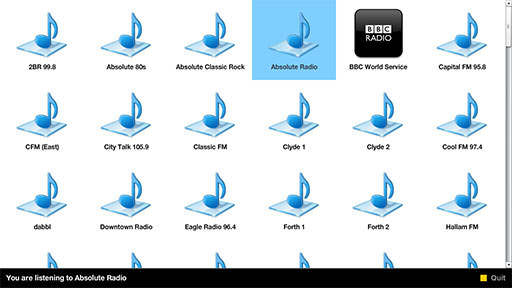
With a growing selection of radio stations available via the UK Radio Player, you can now filter by name using the number buttons of your DivX Connected remote control.

There’s also a new Radio Mode available via the DELETE button for anyone wanting background music without the glow of their TV.

New features will be added automatically for existing users, so there’s no need to manually upgrade or re-install the plug-in.

Don’t have the UK Radio Player?

Filters and Radio Mode added to UK Radio Player for DivX Connected